

Offline-first focus timer for Android

The simplest way to improve your focus

Pick a length, tap start. Go Focus keeps time in a foreground service, so the countdown survives a locked screen, a swiped-away app and Doze — then shows you exactly how your focus adds up over the weeks.
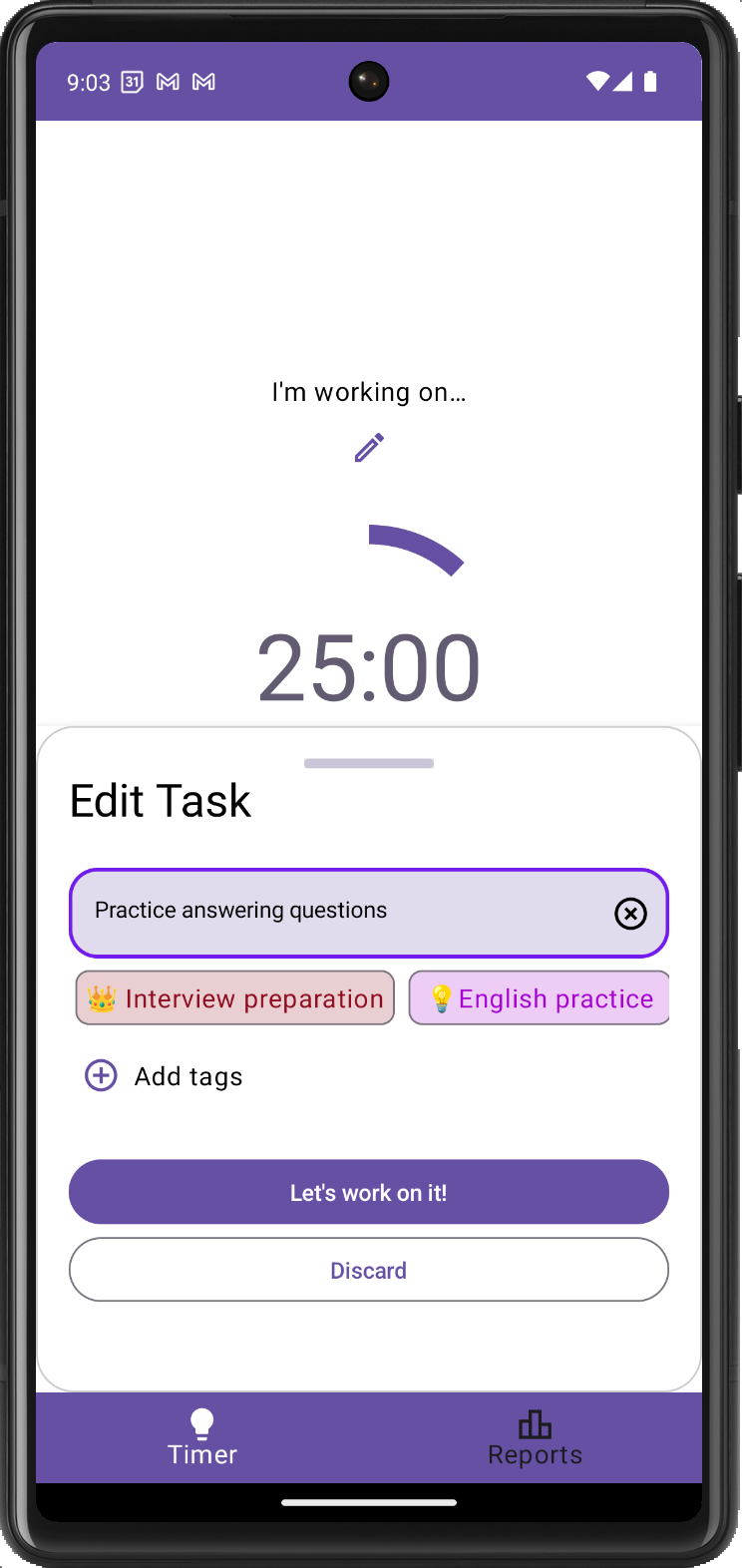
  • Works fully offline
  • No account
  • No tracking
The Go Focus timer mid-session: a large ring counting down from 24:12 with the task "Write the quarterly report" attached, and today's totals underneath.
28 pomodorosthis week
13-day streakand counting
Why Go Focus

Three promises, kept in the code

Not a garden to grow, not a streak to guilt you. A timer that is honest about your time and does not ask for anything in return.

Offline, genuinely

The app ships without the INTERNET permission at all. It cannot phone home even by accident — your sessions never leave the device.

One tap to start

Open it and the ring is already loaded with your focus length. A task is optional, setup is optional — everything except starting is optional.

Insights that add up

Focus minutes, completed pomodoros, streaks and goal hit rate — computed from your own history, with honest empty states when there is nothing to show yet.

Features

Everything a focus timer needs. Nothing it doesn't.

A timer that survives the lock screen

The countdown runs from a monotonic clock inside a foreground service, so it stays exact whether you lock the phone, swipe the app away or let the system doze.

  • Focus, short break, long break — 25 / 5 / 15 by default, long break every 4th session, all adjustable.
  • Pause, resume, skip, reset from the app or straight from the notification.
  • Auto-start and continuous mode chain phases so you never touch the phone mid-flow.
Timer screen with a focus session running, showing the phase selector, progress ring at 24:12 and pause, skip and reset controls.

Tasks, only if you want them

Attach an intention to a session and Go Focus counts the pomodoros against it. No projects, no calendars, no sharing — just what you meant to work on.
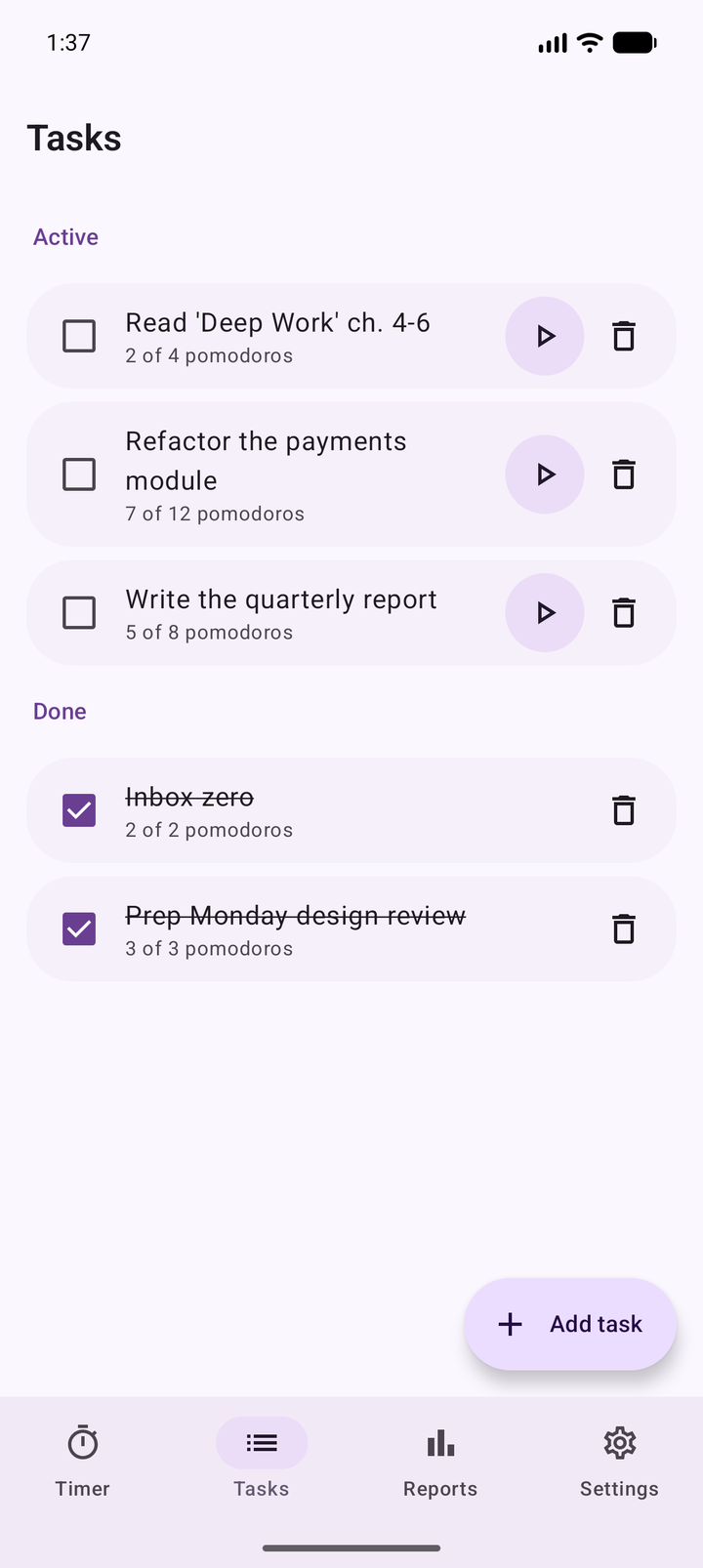
  • Estimate pomodoros and watch the real count climb toward it.
  • Pick one from the timer in two taps, or start with no task at all.
  • Finished work stays in your history so the numbers keep their meaning.
Tasks screen listing active tasks such as "Write the quarterly report" with their completed pomodoro counts.

Insights, not vanity metrics

Today, this week, this month or all time — focus minutes, pomodoros, current and best streak, and how often you actually hit your daily goal.
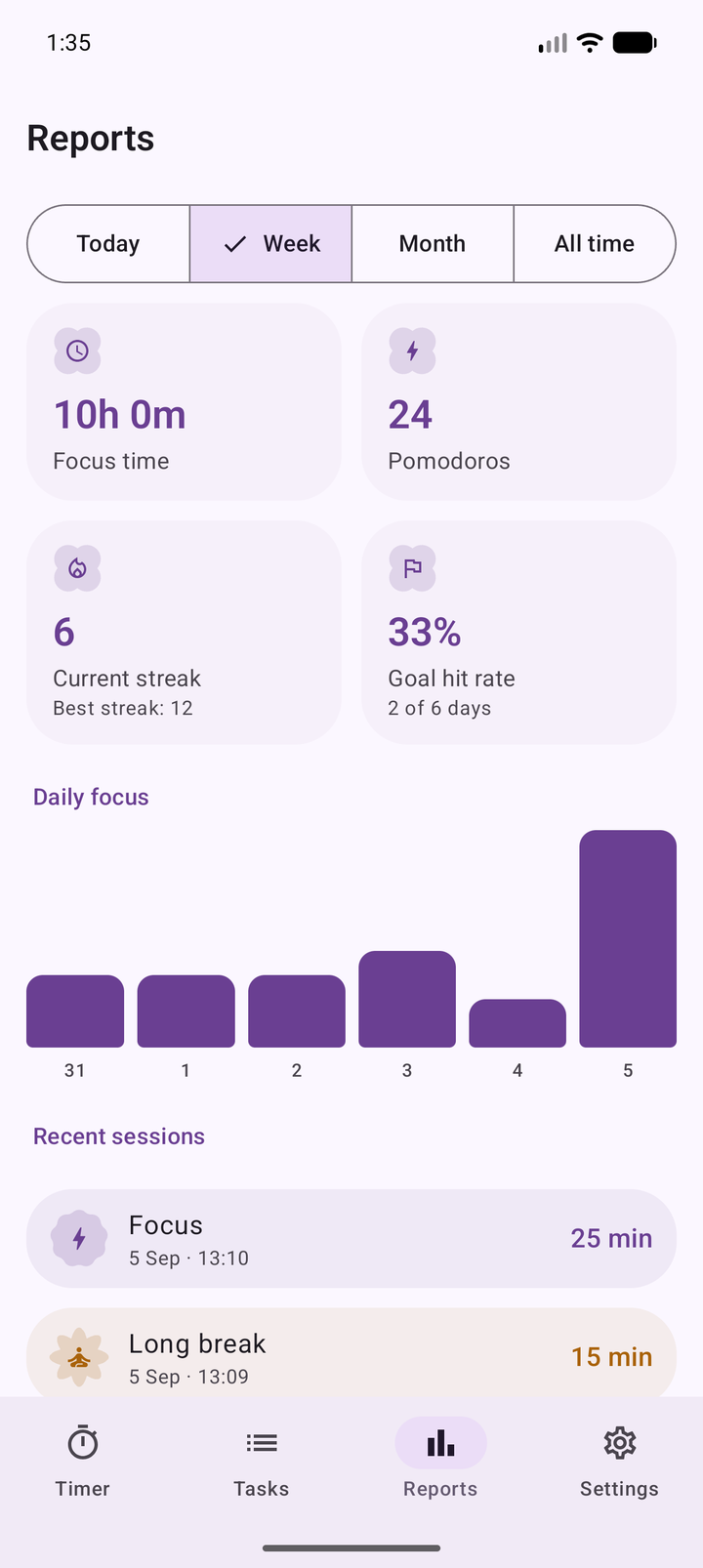
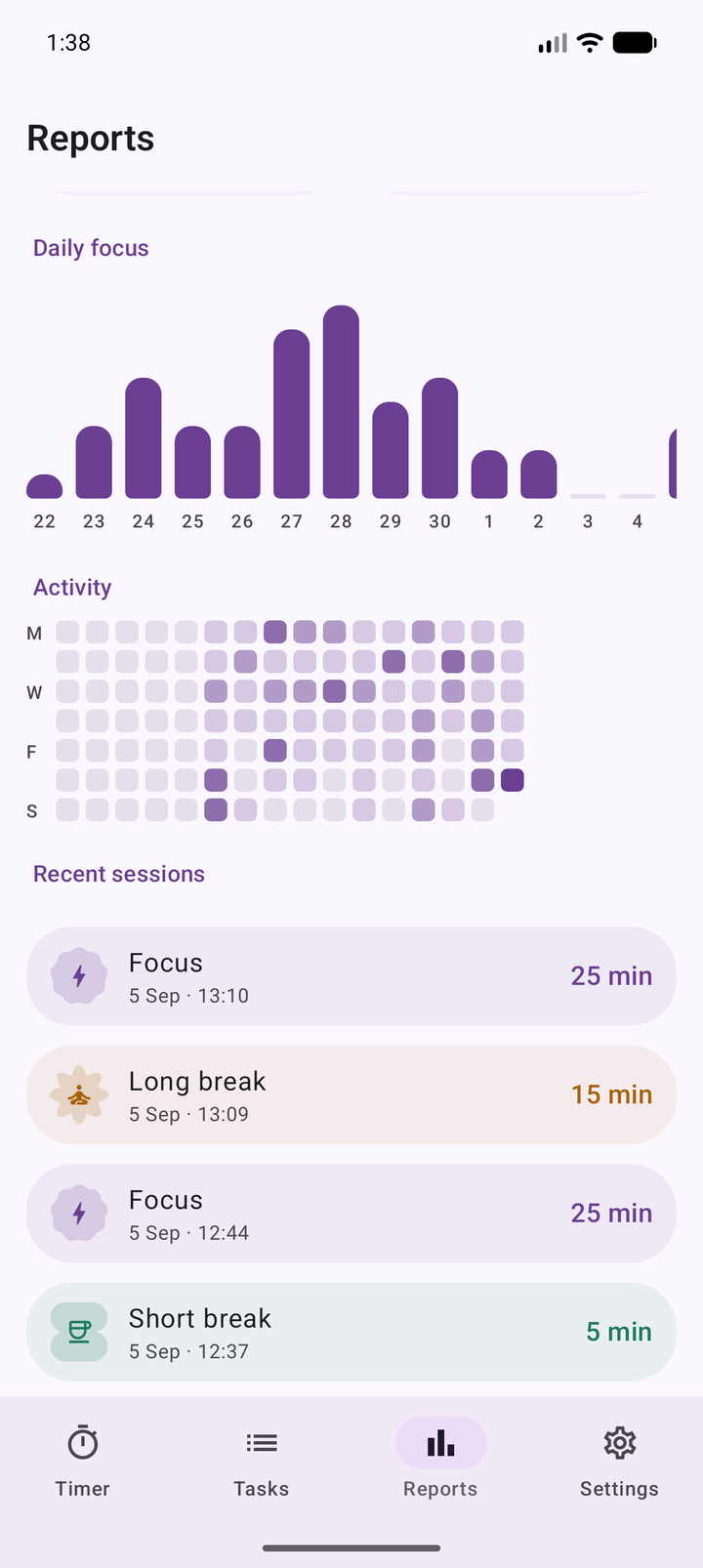
  • A daily bar chart and an activity heatmap built from your real sessions.
  • Every interval colour-coded by phase, including sessions you stopped early.
  • Export the whole history to a JSON file on your device, whenever you like.
Reports screen for the week: 11 hours 40 minutes of focus, 28 pomodoros, a 13-day streak and a daily focus bar chart.
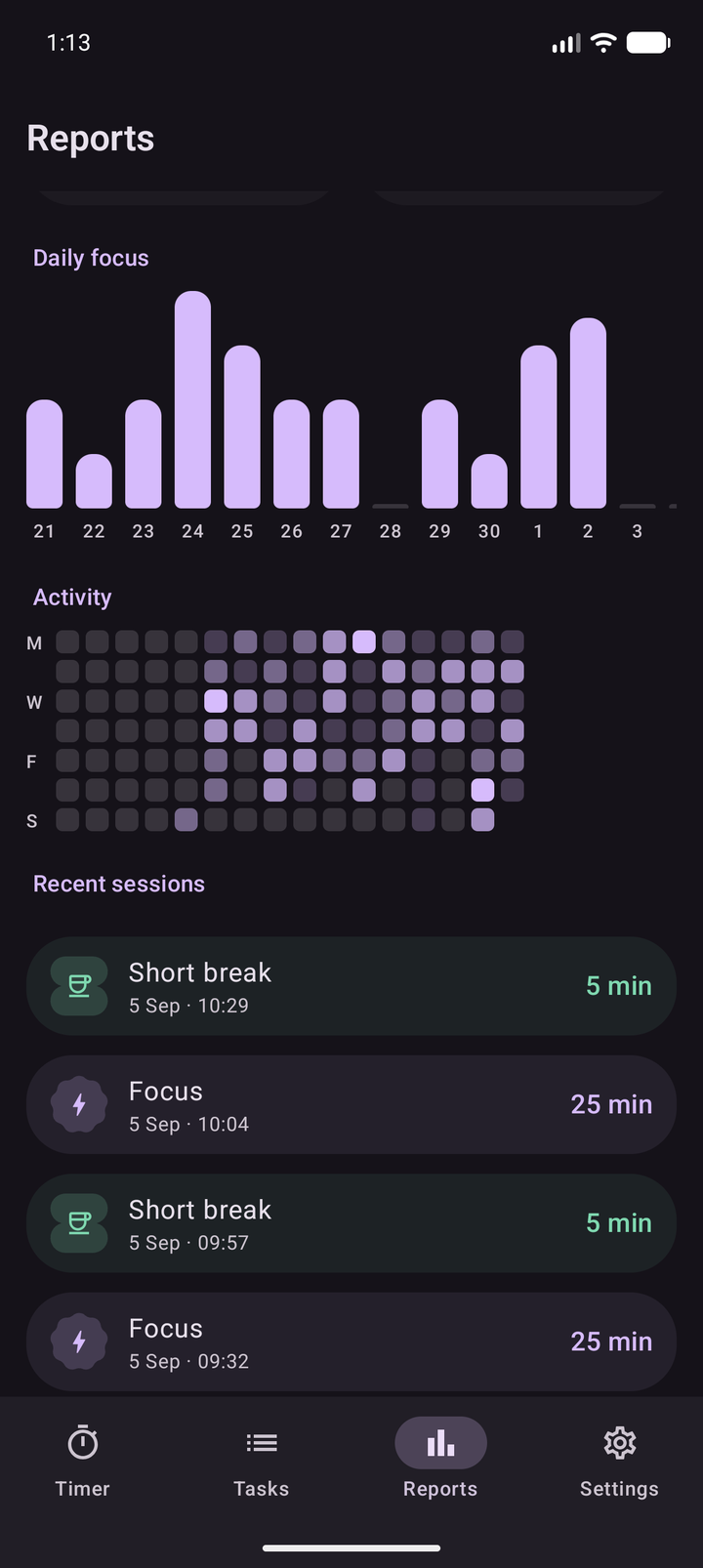
All-time report showing an activity heatmap of eleven weeks of focus sessions and a colour-coded list of recent intervals.

One app, every screen size

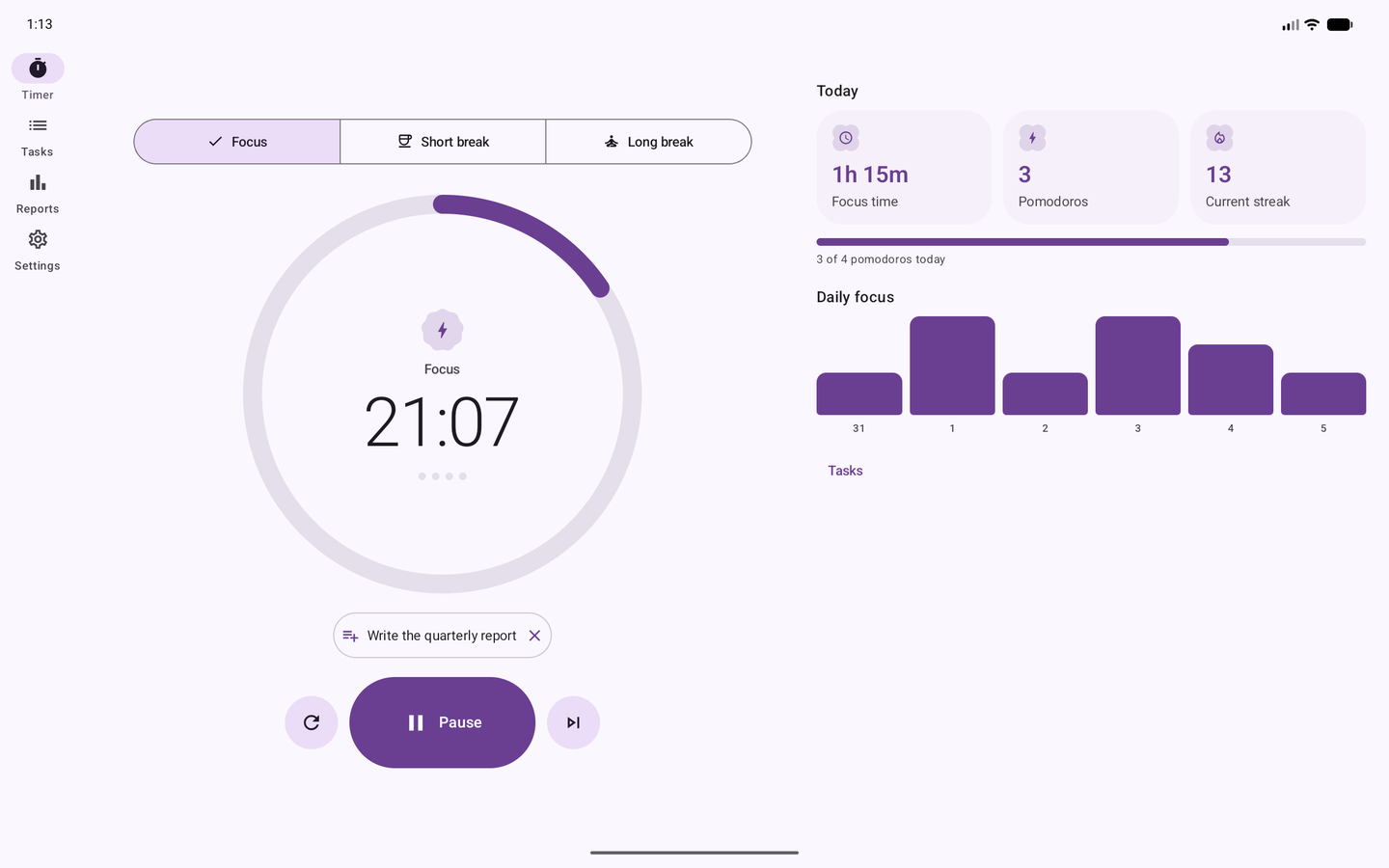
On a phone the ring goes full-bleed. On a foldable or tablet the layout opens into two panes — timer on one side, today's numbers on the other — with a navigation rail.
  • Home-screen widgets for the timer controls and today's totals.
  • Light, dark or follow-the-system, plus optional Material You colours.
  • 48dp touch targets, TalkBack labels and reduce-motion support throughout.
Go Focus on a tablet: a navigation rail on the left, the timer ring in the centre and today's stats with a weekly chart on the right.
Day and night

A dark theme that was designed, not inverted

Both schemes are hand-tuned from the same brand seed, so contrast holds up at 2am as well as at noon.
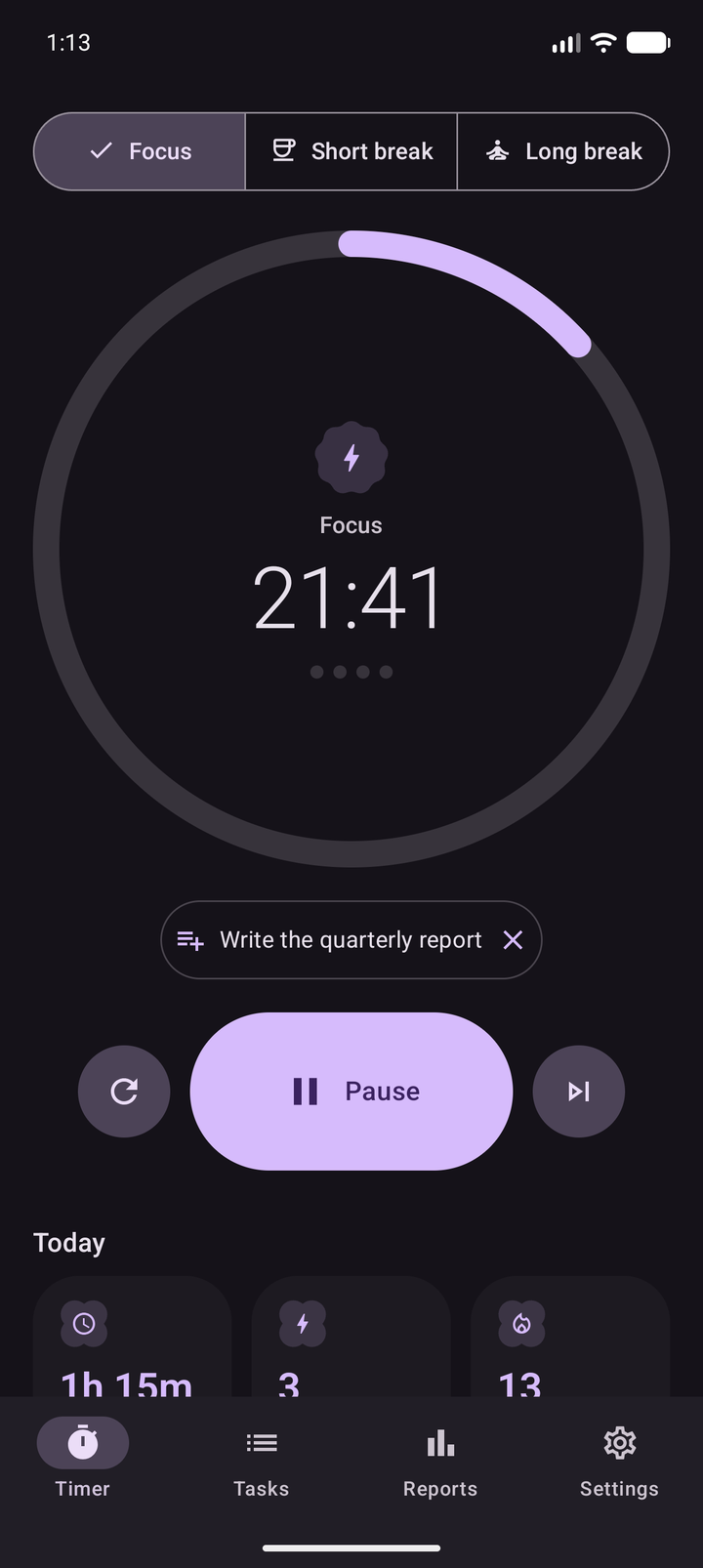
The Go Focus timer in dark theme, with a lavender progress ring on a near-black background.
The reports screen in dark theme showing focus totals and the daily chart.
Privacy

Your focus history stays on your phone

There is no account to make, no server to sync with and no analytics SDK in the build. This is not a policy promise — it is what the app is allowed to do. Here is the complete permission list.

  • POST_NOTIFICATIONStell you a phase ended
  • FOREGROUND_SERVICEkeep the timer counting
  • FOREGROUND_SERVICE_SPECIAL_USEits declared type
  • VIBRATEbuzz when a phase ends
  • INTERNETnot requested

Be first to focus with it

Go Focus is in active development. Follow along for the launch — no spam, just the release.